
Dashboard
The Dashboard is available for those that have administration access. This screen shows at a glance the total number of estimates. Of those estimates, how many are In Progress, New Assignments, what the Average Value is for all of the estimates, and how many Total Users are part of the instance.
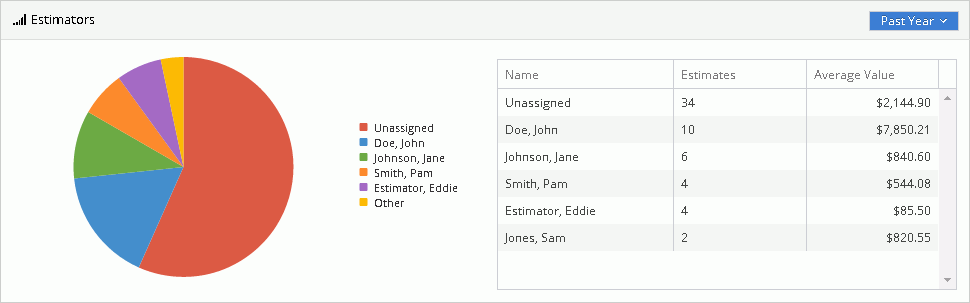
In the Estimators section, you will see a pie chart showing the number of projects for each estimator and how one estimator compares to others in that same instance. If there are more than 5 estimators in the instance, the top 5 are displayed. You can filter the pie chart by different time periods. Those time periods are: Past Day, Past Month, Past Week, or Past Year.
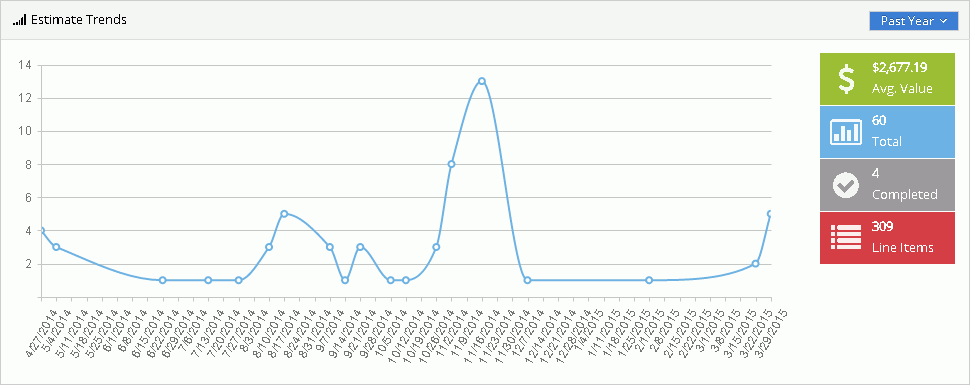
In the Estimate Trends section, you can view a graph of projects filtered by the selected time period, to display the projects created in that time period.
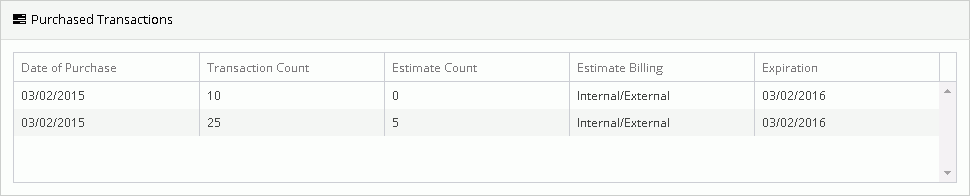
In the Purchased Transactions section, you can see a snapshot of the number of pre-paid transactions that have been purchased, when those were purchased, how many have been used and when that set of pre-paid transactions expires.
Note: The In Progress, New Assignments, Total Estimates, Estimates Used, and Total Users across the top will update in real time. The Estimators and Estimate Trends section will update each hour.

For Technical Support please call 1-800-710-9228 or click here to access our live chat service.
Copyright 2004-2018 Xactware Solutions, Inc. All rights reserved.